Data / MCP and AI agents
Air traffic in your chat
Connect the FlyItalyADSB MCP server to Claude or ChatGPT and ask the way you talk: which aircraft are over Fiumicino, whether there is military traffic, what flew over your home last night. The answer comes with an interactive map inside the conversation.
Free, with the same key as the REST API. Works in Claude, ChatGPT, Claude Code and other MCP clients.
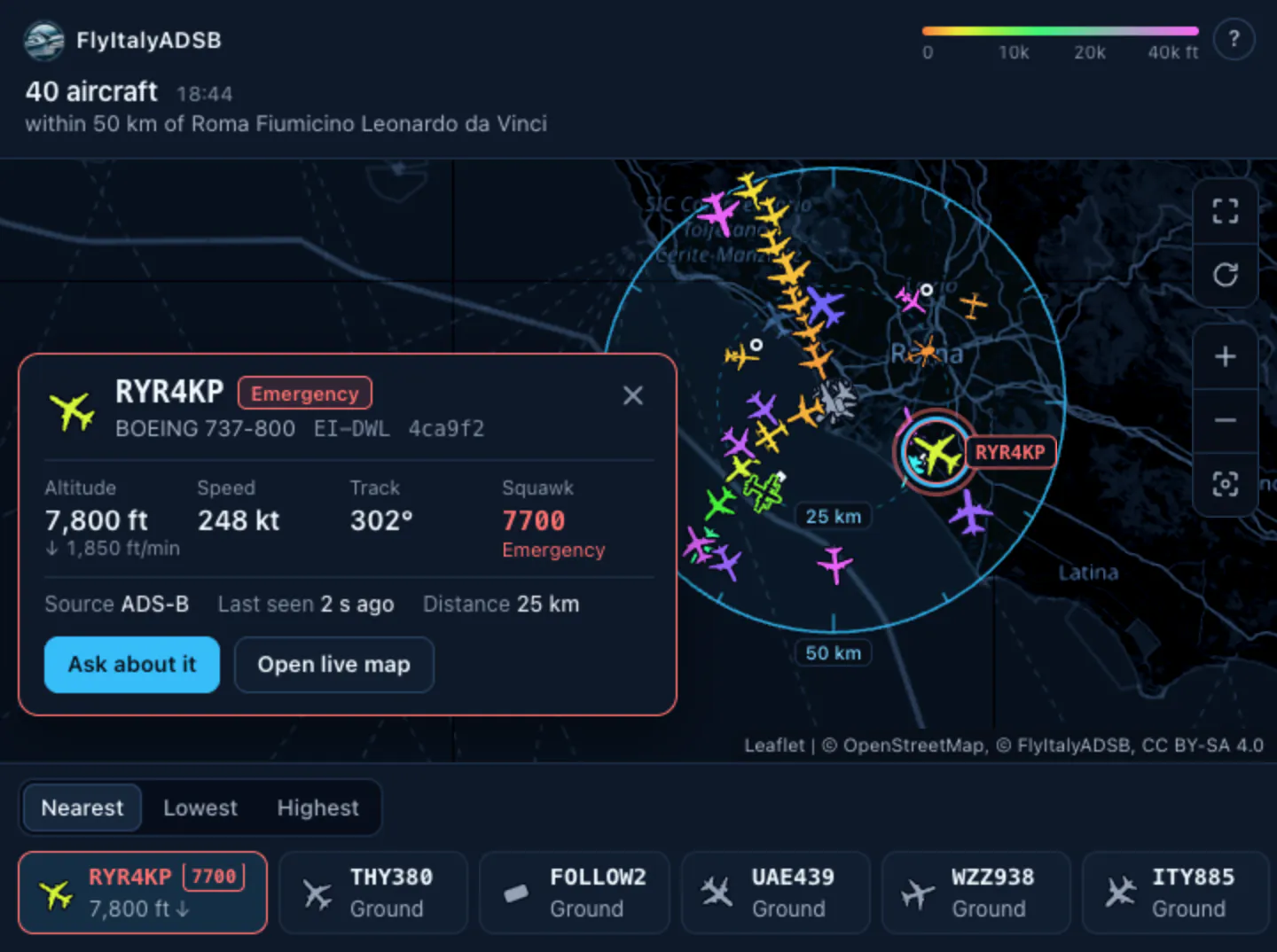
Which aircraft are near Fiumicino right now?
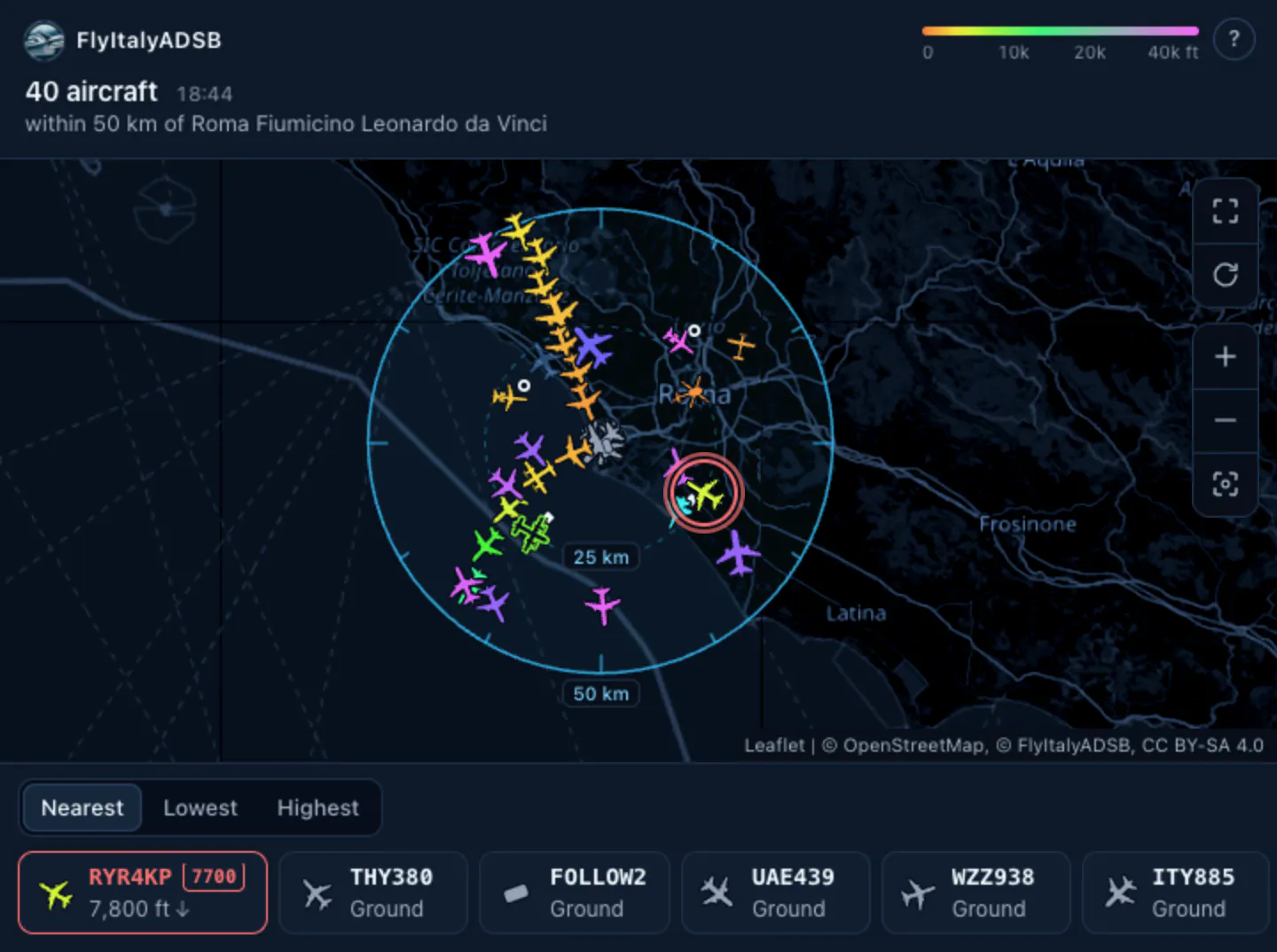
There are 40 aircraft within 50 km. One is squawking 7700, a general emergency: RYR4KP, a Boeing 737-800 at 7,800 feet and descending, 25 km south-east of the airport.
Connect it
All you need is an email and a couple of minutes. There is no key to copy: you sign in with a 6-digit code we email you, and if you don’t have an API key yet, we create a free one there and then.
claude.ai
- On claude.ai, open Connectors and press Add custom connector.
- Name it FlyItalyADSB, with this URL:
- Press Connect: the FlyItalyADSB page opens. Enter your email, then the code you receive, and press Allow.
- Go back to the chat and ask: Which aircraft are near Fiumicino right now?
Once added, the connector is also in Claude desktop and the mobile app.
ChatGPT
- In ChatGPT, open Settings → Apps & Connectors → Advanced settings and turn on Developer mode.
- Back in Apps & Connectors, press Create: name FlyItalyADSB, authentication OAuth, URL:
- Sign in with your email and the 6-digit code, then press Allow.
- In a new chat, add FlyItalyADSB from the + menu and ask: Is there any military traffic in the air right now?
ChatGPT’s menu labels change often and Developer mode isn’t on every plan: if you can’t find them, search Settings for “connectors”.
Claude Code and others
In Claude Code, with your key in the header:
claude mcp add --transport http flyitalyadsb https://flyitalyadsb.com/mcp \
--header "X-Api-Key: YOUR_KEY"- Other MCP clients with OAuth connect the way Claude does: add the URL and press Connect.
- From your own code or a client without OAuth, send the key in the
X-Api-Keyheader. It’s free: get one here. - An agent that only knows your email can register with auth.md: you confirm it, with the code we email you.
A call by hand, in JSON-RPC
POST https://flyitalyadsb.com/mcp
Content-Type: application/json
Accept: application/json, text/event-stream
X-Api-Key: <your-key>

{"jsonrpc":"2.0","id":1,"method":"tools/call","params":{"name":"aircraft_near","arguments":{"airport":"FCO","radiusKm":25}}}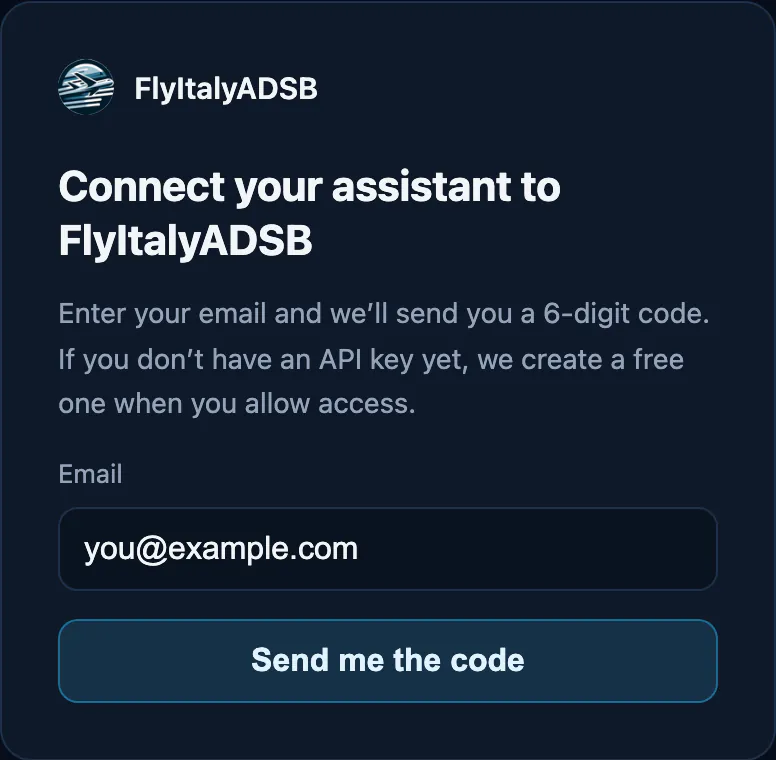
What you can ask
Nine tools. You don’t have to name them: the assistant picks the right one, sometimes more than one per question. The questions below are examples to try.
Right now
-
aircraft_nearmap in the chatEvery aircraft within a radius of any point in the world, or of an Italian airport by name.
Which aircraft are near Fiumicino right now?
-
find_aircraftmap in the chatOne aircraft by ICAO hex, callsign or registration, if the network sees it now.
Where is EI-DWL right now?
-
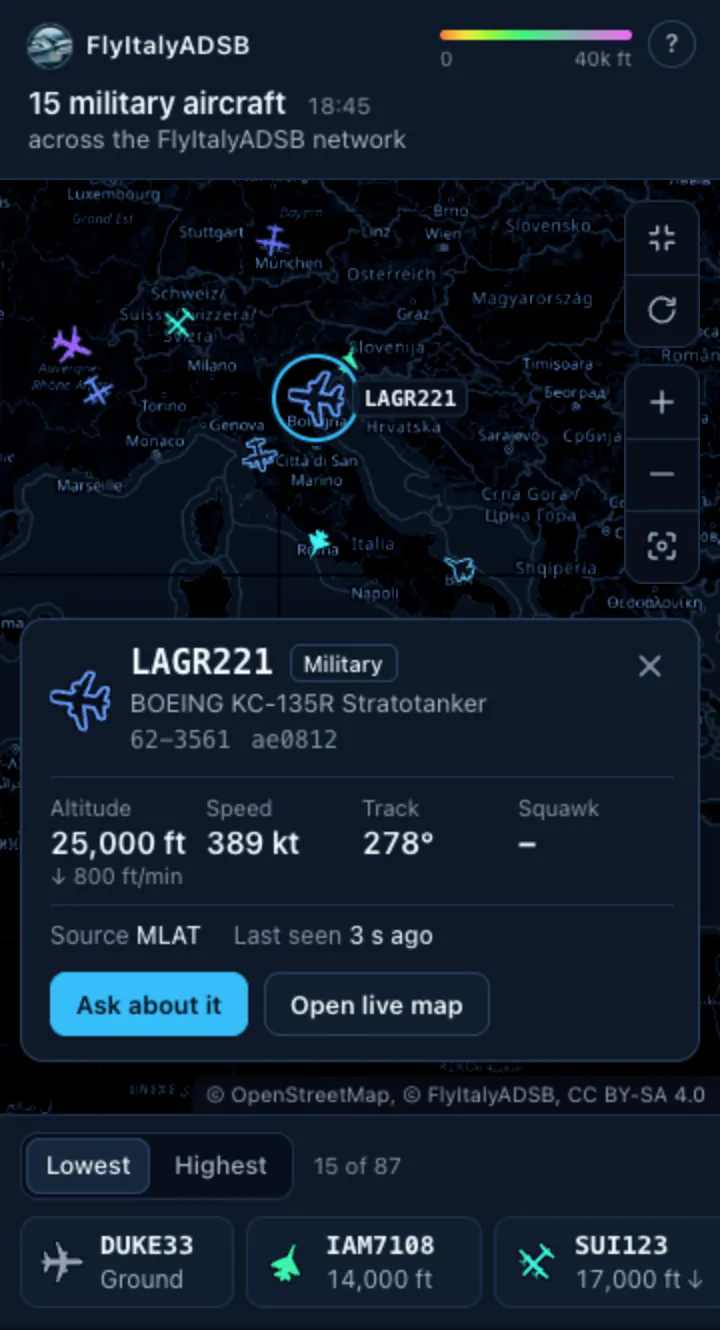
special_trafficmap in the chatThe military, PIA or LADD traffic the network sees at this moment.
Is there any military traffic in the air right now?
One aircraft
-
aircraft_profileWhat we know about one aircraft: identity, whether and where we see it now, first and last day in the history, map and photo links.
What do you know about D-AIUK?
-
aircraft_historyAn aircraft’s dates with a track, or one day’s track: position, altitude and speed, since 2022.
Which flights did EI-DWL make yesterday?
What happened
-
overflightsThe aircraft that flew over a place between two times, with the time and distance of the closest point. Since 17 August 2026.
Which aircraft flew over Brescia yesterday between 10 and 11 pm?
-
notable_trafficEmergencies (7500, 7600, 7700), military and other notable aircraft seen in an area, up to 7 days back.
Anything unusual near Malpensa today?
Near me
-
set_my_locationSaves your position on the account, rounded to about 1 km, for “near me” questions.
My position is Brescia.
-
clear_my_locationDeletes the saved position.
Forget my position.
The map in the chat
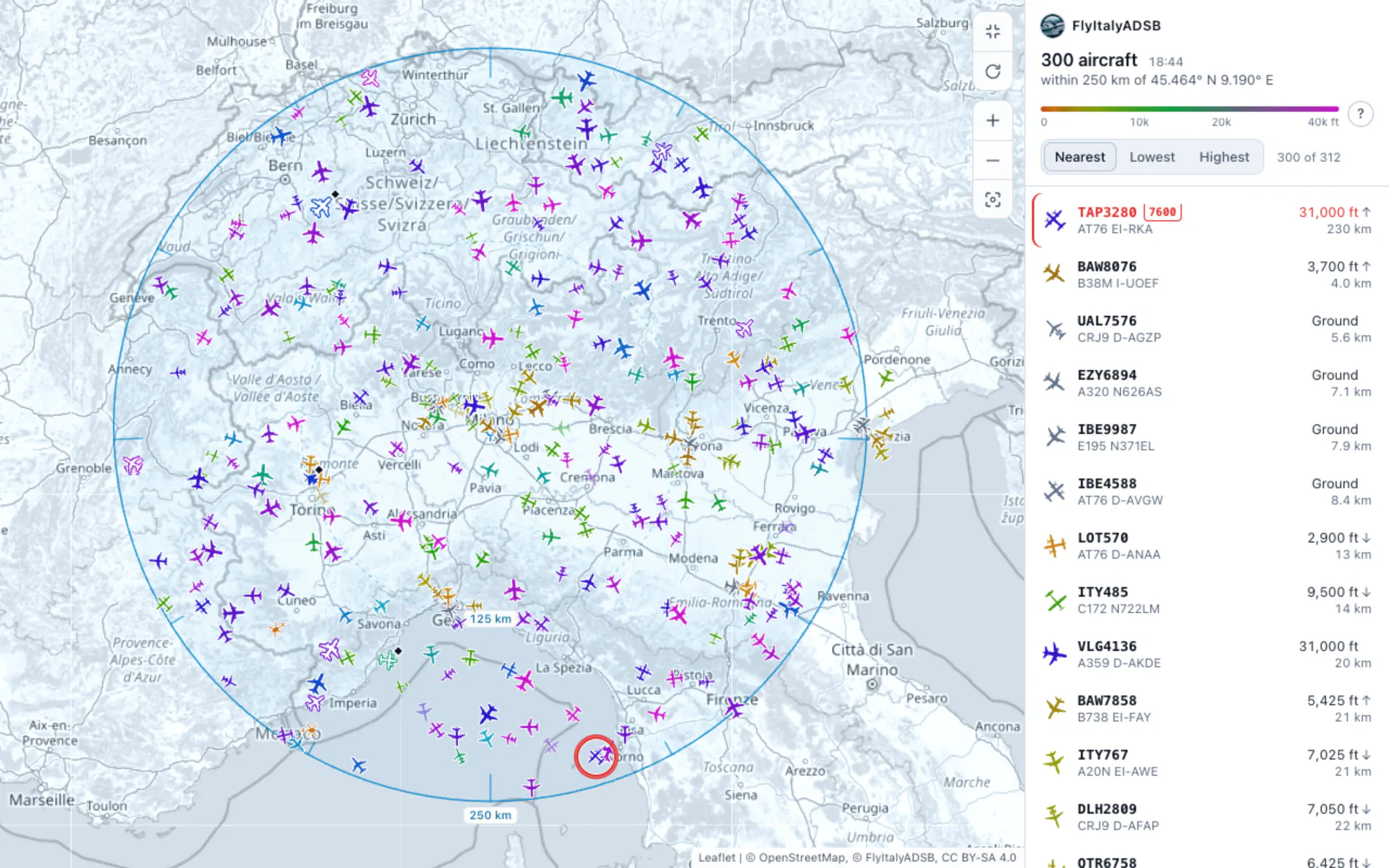
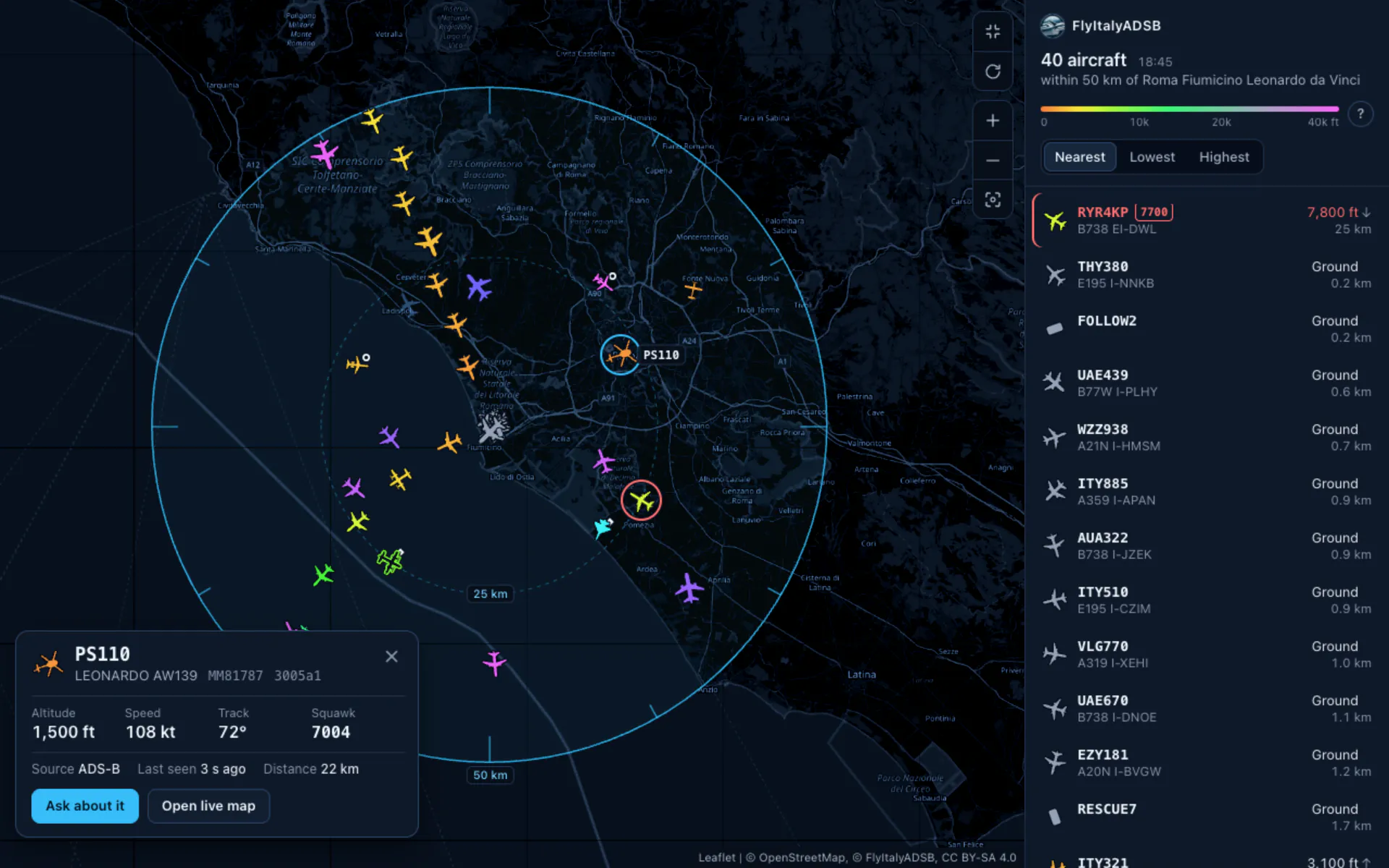
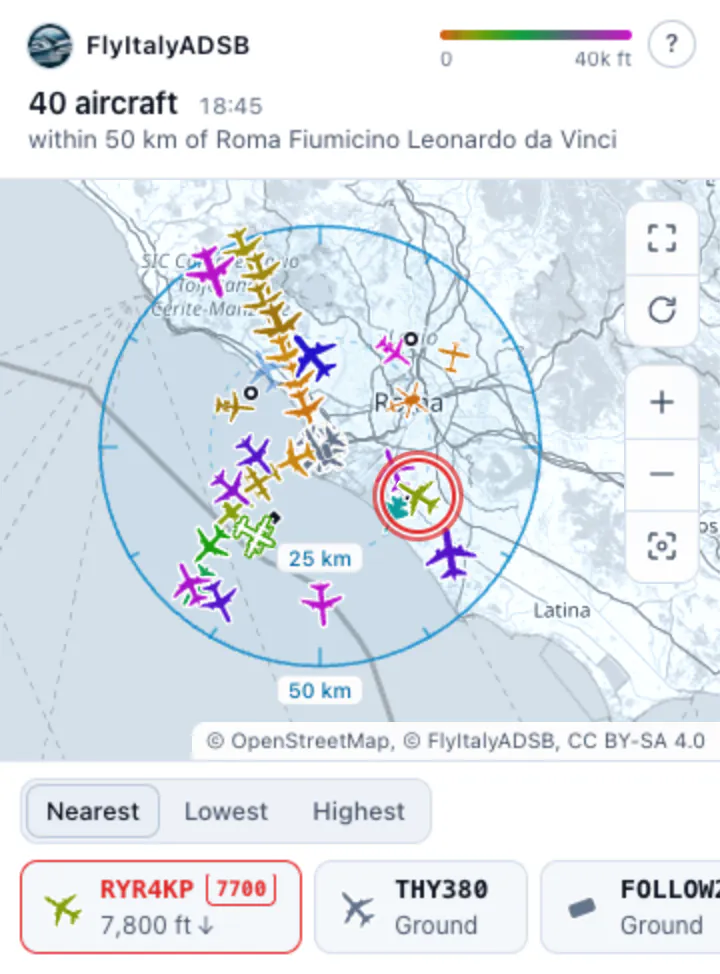
In Claude (web, desktop and mobile) and ChatGPT, aircraft_near, find_aircraft and special_traffic also show their result on a map, inside the conversation. Other clients get the same data as text.
How to read it
- Colour
- altitude, from 0 to over 40,000 feet
- Filled
- position sent by the aircraft (ADS-B)
- Outline
- position computed by the network (MLAT)
- Faded
- position more than a minute old
- Grey
- on the ground, or altitude unknown
- Diamond, ring
- military; PIA or LADD
- Red ring
- emergency squawk
The buttons
- Refresh
- repeats the search: it counts as one request
- Live
- repeats the search every 30 s for up to 10 minutes while the map is on screen: 2 requests a minute
- Full screen
- where the assistant allows it
- Ask about it
- writes a question about the aircraft in the chat
- Open live map
- the same aircraft on mappa.flyitalyadsb.com
Near me
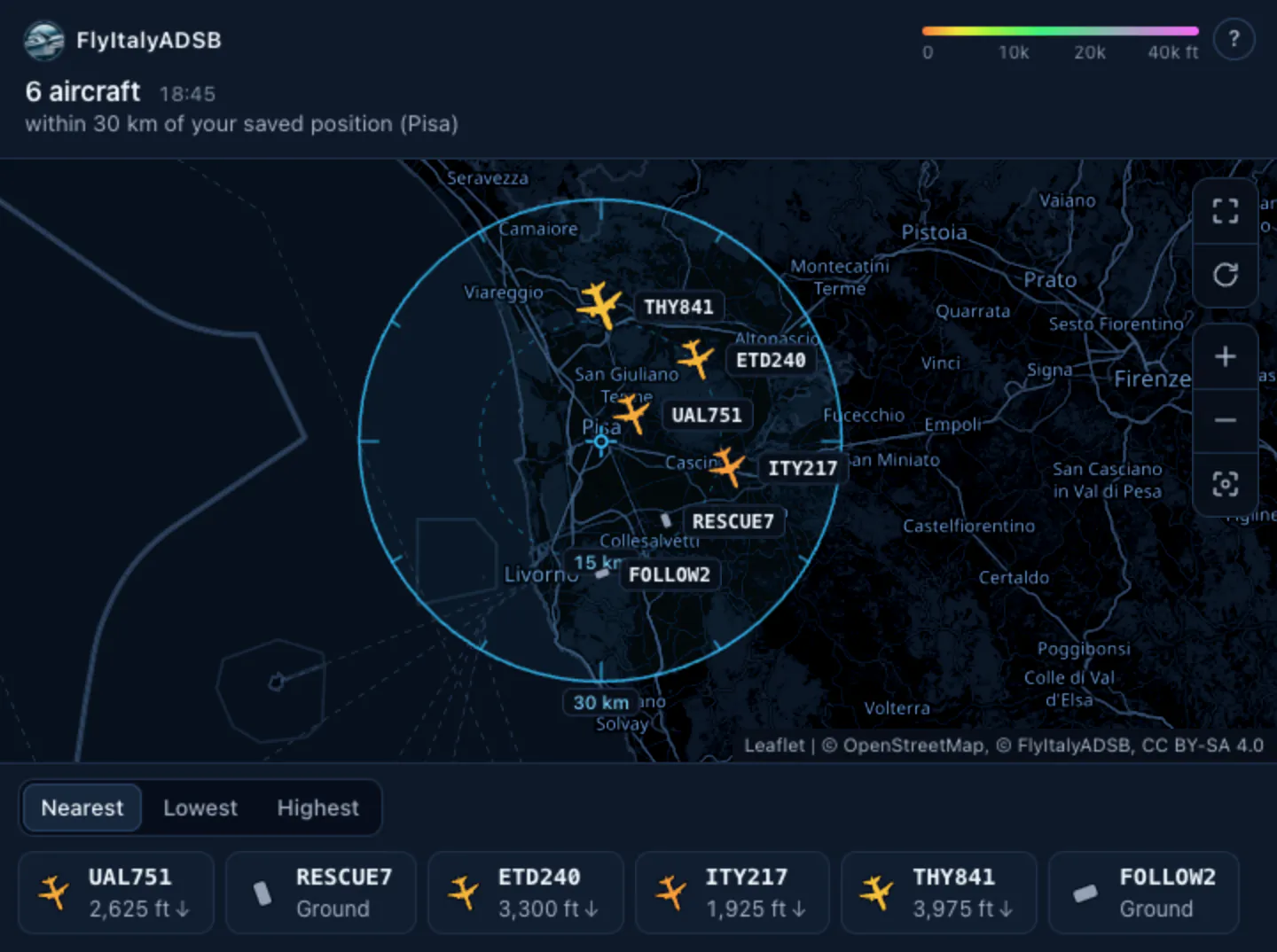
No assistant passes your phone’s or computer’s position to us. To ask “which aircraft are near me?” without saying where you are every time, save a position once:
- tell the assistant: My position is Pisa.
- or from My API, with Use my position.
Then just ask:
Which aircraft are near me?
On ChatGPT, if you haven’t saved one, we use the city ChatGPT attaches to the request. It works for overflights and notable_traffic too: “what flew over me last night?”.
Limits and requests
Every time the assistant calls a tool it makes one API request, which counts on your key’s plan like a direct call. One question can cost more than one if the assistant uses several tools. The maximum radius is the plan’s too.
| Plan | Per minute | Per month | Maximum radius |
|---|---|---|---|
| Free free | 30 | 300,000 | 500 km |
| Starter €9/month | 60 | 1,000,000 | 1,000 km |
| Pro €49/month | 300 | 10,000,000 | worldwide |
| Business €249/month | 1,000 | 50,000,000 | worldwide |
Free-plan limits apply from 27 October 2026; until then a Free key stays at 100 requests/minute per IP.
Privacy
| Your position | We don’t receive your device’s position. If you save one, we round it to about 1 km before storing it: one per account, and you can delete it any time. |
| Aircraft, not people | No answer contains the names of owners or operators, and we don’t know who is on board. |
| The map | It loads only OpenStreetMap tiles: it asks for no permissions and doesn’t use your location. |
| PIA and LADD | Aircraft with a privacy address or in the FAA LADD program are flagged, not hidden, as everywhere on the network. No photo links for them. |
| The connection | Disconnect it from My API, under “Connected assistants”. Your key doesn’t change. |
Frequently asked questions
How do I use the MCP server with Claude or ChatGPT?
Add https://flyitalyadsb.com/mcp as a custom connector (on claude.ai: Connectors → Add custom connector; on ChatGPT: an app created in Developer mode) and press Connect: you sign in with your email and a 6-digit code, no key to copy. In clients without OAuth, pass your key in the X-Api-Key header. Then just ask things like "what's flying over Fiumicino right now?" or "any military traffic over Rome?" and the agent will call the tools automatically. The step-by-step guide is on the MCP page.
What can the MCP server do that the map can't?
It answers in the chat with structured data: one aircraft by ICAO hex, callsign or registration, every aircraft within a radius of any point, military, PIA or LADD traffic, one aircraft's profile, what flew over a place in a time window, recent emergencies in an area and one aircraft's history. On Claude and ChatGPT it also shows the aircraft on a map inside the conversation.
Do questions to the assistant use up requests?
Yes: each MCP tool call is an API request and counts on your key’s plan, like a direct call.
Can I ask “which aircraft are near me?”
Yes, once you have saved a position: from My API with “Use my position”, or by telling the assistant “my position is Brescia”. No assistant passes your device’s position to the server. We store it rounded to about 1 km and you can delete it at any time. On ChatGPT, with no saved position, we use the city ChatGPT attaches to the request.
Can I get a profile of one aircraft, with a photo?
Yes: ask your assistant about an aircraft and it will use aircraft_profile, or call /v2/profile/{icao}: identity, whether we see it now and where, first and last day in the history. The photo isn’t in the answer, because Planespotters.net’s terms don’t allow it: you get the link to their page, with the photographer’s name, and the map link. No photo link for PIA and LADD aircraft. Never owner names.
Why do I see a map in the chat?
On Claude and ChatGPT, the tools that return aircraft also show them on an interactive map in the conversation, coloured by altitude. It only loads OpenStreetMap tiles, asks for no permissions and doesn’t use your location. Between updates, aircraft in flight move along their track at their speed: that is an estimate. Refresh repeats the search; Live repeats it every 30 seconds for up to 10 minutes, while the map is on screen. Each update counts as one request.
How do I disconnect an assistant?
In My API, under “Connected assistants”, press Disconnect. Your key doesn’t change.
Can an AI agent register by itself?
Yes, with auth.md, but it always needs your confirmation: the agent gives you a link and a code, you sign in with the code we email you and type the agent’s code.